Welcome to our news page! Here you can find community posts, fixes to common problems and the newest features coming to eForms.
Work in Progress
We're Working on Something VERY BIG!
Are you curious about what that is? Follow this link to learn more about what we're working on for eForms 2026.
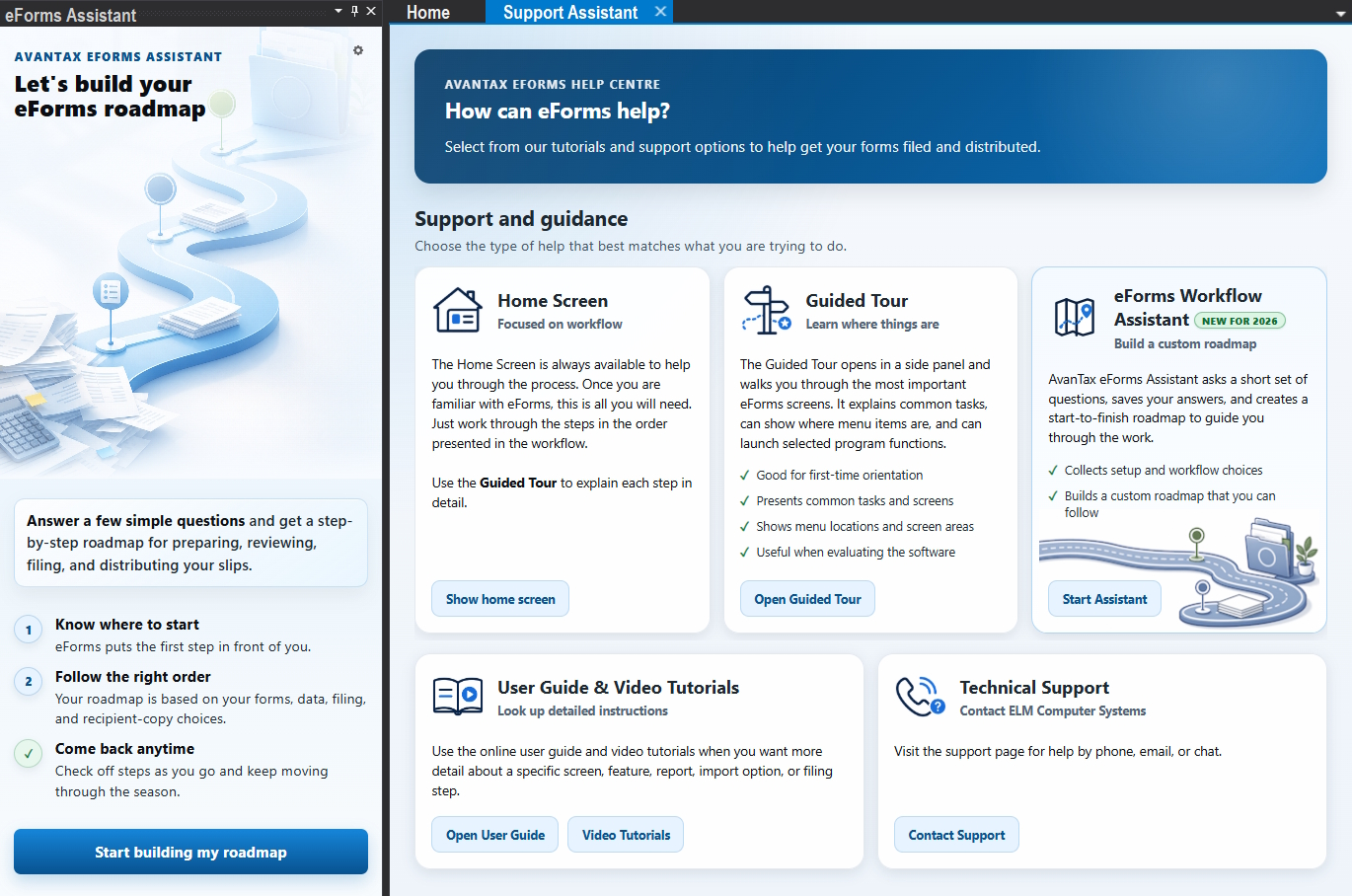
eForms Support Assistant
Early Production Release
AvanTax eForms 2026.100 - Early Production Release - Our 40th Year!!!
eForms 2026 is the 40th annual release of AvanTax eForms, and some of you who read this have been with us since its first release as T4 TimeSaver in 1987. We have no words to express our gratitude for such incredible loyalty. Over the past forty years, many more have joined the eForms 'family', and have helped us to make eForms all that it is today. All we can say is:
"THANK YOU! We could not have done any of this without you!"
Now, on to news pertinent to this release:
1 - All rates and constants have been updated for the 2026 taxation year.
2 - Data may be rolled forward from 2025 AvanTax eForms.
3 - This release of eForms can be used to prepare the RL-1.T (Temporary Relevé slip and Summary) for preparing end-of-business returns for 2026.
4 - All forms, printing and XML output are in their 2025 formats, but may be used for filing 2026 end-of-business returns.
Our Quick Start Guide will have you running eForms with a minimum of fuss and bother
Communication
Our 40th Anniversary!
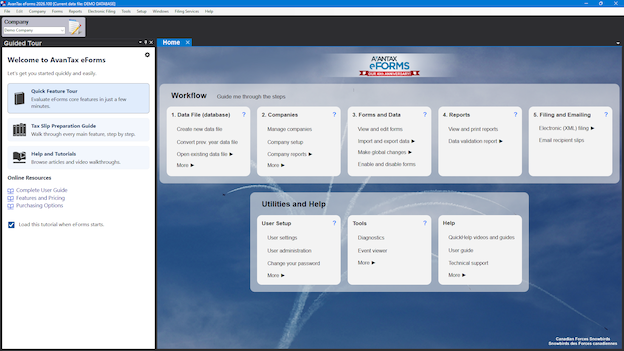
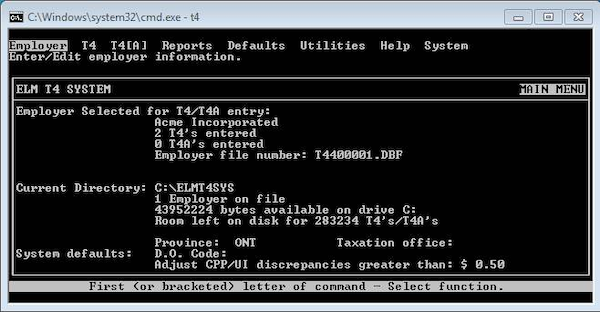
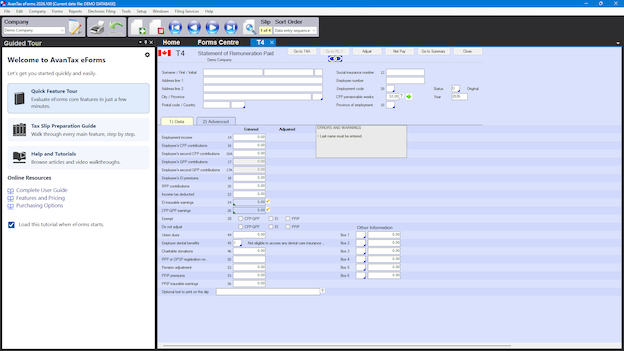
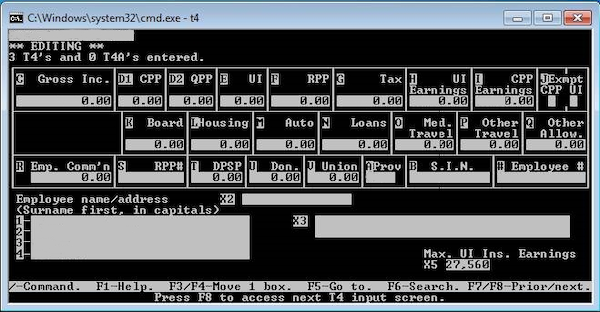
We've come a long way from the original DOS version that we released as T4 TimeSaver in 1987, just take a look at the screen shots below to see just how far!
1997 T4 TimeSaver vs. 2026 AvanTax eForms Home Screens:
eForms - Home Screen - 2026
T4 TimeSaver - Home Screen -1987
1997 T4 TimeSaver vs. 2016 AvanTax eForms T4 Data Entry Screens:
eForms - T4 Form - 2026
T4 TimeSaver - T4 Form - 1987
Since that first release in 1987, we've added many forms, and a multitude of useful features, some of which are:
- Facsimile forms (we were among the first to do this)
- CPP and EI adjustment
- Data import from CSV, XLSX and XML
- Data validation during import
- Data export to CSV
- Email recipient slips
Thank you for joining us on this adventure! We're glad you're here and we look forward to many great years to come, which will be even better if you come along for the ride!
Software
Special Notice for Users of Adrem's 'T4 - T4A - T5 Printer'
As you may already have learned, Adrem is no longer publishing their excellent T4 - T4A - T5 Printer software.
While we're sorry that one of our favourite competitors is no more, and we really don't enjoy benefitting from their misfortune, the fact remains that you do still have your 2025 tax submissions to complete. We want to assure you that our eForms software, and its fast and friendly technical support team can help you out of this situation; even at this late date.
Give us a call or send us an email, we'll be happy to help you
If you are currently running AvanTax eForms 2025.105, you do not need to install AvanTax eForms 2025.106 unless one or more of the items described in this update notice apply to your situation.
If you are running version 2025.104 or earlier, then you should install eForms 2025.106, as it contains important updates.
XML Validation and Creation Screen UI Improvement
Improved the XML validation and creation screen so the [XML File and Validation Report] and [Validation Report] buttons are always visible while the screen is open. In previous versions, one of these buttons could occasionally be hidden.
AGR1 XML Creation Fix
Resolved an issue where AGR1 XML files incorrectly used the Business Number as 00000000RP000 when a slip had recipient type 4 (association, trust, club, or partnership) and a valid Business Number was provided. The supplied Business Number is now correctly reflected in the XML.
T4A-NR XML Generation Error Resolved
Fixed a program error that occurred during XML generation when an entity included a slip with recipient type 4 (Other - for example, an association, trust (including fiduciary-trustee), nominee, estate, or partnership).
T4RSP and T4RIF XML Validation Report Correction
Removed the Inactive column from the XML validation filing reports for the T4RSP and T4RIF. This column does not apply to these forms, as their XML files may legitimately contain slips with all zero-dollar amounts. Previously, the column always displayed a value, which was misleading. This was a cosmetic change only and did not affect any XML files already created.
TFSA Active/Inactive Slip Definition Correction
TFSA slips may have negative amounts in 'Acquisition of non-qualified investment' and 'Withdrawal of non-qualified investment' as an indicator that those fields are to be excluded from the Xml file. Such slips were sometimes treated as inactive and did not get written to the Xml file. This has been corrected.
SMTP Email Reply-To Address Enhancement
Users sending recipient slips via SMTP email may now include the sender's name with the reply-to email address to display the sender's name when the email is received. eForms will accept either of the following formats:
- emailaddress@mydomain.com
- Name (angle braces and the space after 'Name' are required)
Updated eForms 2024 Production Release
AvanTax eForms 2024 has been updated to version 2024.116
Effective January 12, 2026, CRA has retroactively updated its XML specifications for filing previous year XML returns. Consequently, any XML file generated using AvanTax eForms 2024.114 and earlier will probably be rejected by CRA if:
♦ You did not enter a Transmitter Rep ID, meaning that you are using a Transmitter CRA Account Number, which could be either a 15-character business number, a 9-character SIN or a trust identification number.
or
♦ If you are submitting 2024 AGR1, T5 or T5008 Returns, regardless of whether or not you have entered a Transmitter Rep ID.
In these above noted cases CRA will probably reject your XML submission if it was created by eForms 2024.114 and earlier.
AvanTax eForms 2024.115 updates XML processing to comply with the CRA requirements that came into effect on January 12, 2026. Therefore, almost all eForms users who wish to file forms produced by eForms 2024 should download this new release.
We also provide a free utility that can update previous years' XML files to comply with the CRA requirements that came into effect on January 12, 2026. This includes XML files created by all eForms versions released before eForms 2024.115, including eForms 2023 and earlier years.